KILL ARTHUR
Fight Through Camelot, Take Your Vengence
OVERVIEW
Escape Imprisonment, Battle the Knights of Camelot, Enact Your Revenge on Arthur
DETAILS
Genre: First Person Action
Role: Solo Developer (Gameplay and AI Programming)
Tools: Unity, C#, Shader Graph, Blender
Platform: PC
GAME FEATURES

Fight Through Camelot
Fight through waves of Knights, Archers, and Clerics to reach King Arthur's keep
Fists and Steel
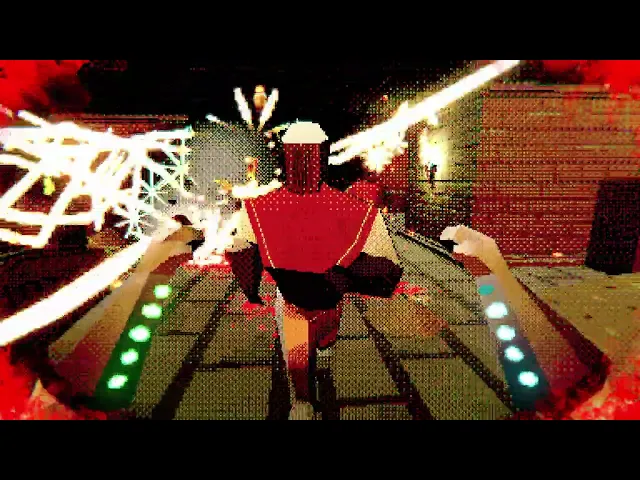
Deliver brutal combos with your bare hands or draw Excalibur for devastating sword strikes and dash attacks
Use the Environment
Ignite explosive barrels with torches scattered across each arena to turn the battlefield against your enemies
Two Ways to Play
Take on the story and face King Arthur, or test your limits in the Endless Arena
TECHNICAL DEVELOPMENT
CORE SYSTEMS AND CLASSES
Player Movement, Combat, and Executions
First-person locomotion with jumping and directional dash
Executing a staggered enemy restores both health and stamina, creating risk/reward loop
Sword strikes, combo finishers, and dash attacks form the core combat toolkit
Health and stamina are tracked as gems on the player's arms - health depletes on damage, stamina on dash and sword use
Enemy AI and Combat
All enemies - Knights, Archers, Clerics, and King Arthur - are driven by behaviour trees and managing Idle, Attack, Stagger, and Death states
Enemies have distinct roles
Knights - Apply direct pressure
Archers - Engage at range
Clerics - Passive buff to nearby allies
Environmental Interactions
Torches are carriable pickups that detonate explosive barrels on proximity, rewarding environmental awareness
Health Fountains act as fixed stations for the player to replenish their health
Destructible doors and locking gates add traversal friction, controlling player progression through the level
Build Manager
Game Manager
Event Manager
Audio Manager
Navigation Manager
Save Manager
Used to manage global core systems, allowing centralized control
DESIGN PATTERNS
Finite State Machine
Game States
Used to manage various game states
Object Pooling
Enemy Characters
Projectiles - Arrows and Cannons
Creating pools, enqueuing / dequeuing objects. To optimize enemy and projectile instantiation
Singleton
Game Manager
Event Manager
Audio Manager
Navigation Manager
Save Manager
Used to manage global core systems and managers, allowing centralized control and global access
Observer
Event Manager
Handles broadcasting, subscribing and unsubscribing
Used to decouple events